> ## Documentation Index
> Fetch the complete documentation index at: https://trunk-4cab4936-mintlify-68bbaac5.mintlify.site/llms.txt
> Use this file to discover all available pages before exploring further.
# Configuration
> Instrucions to setup and configure the Direct-to-Queue capability of the Merge Queue.
#### Prerequisites
* Admin access to your GitHub organization
* Installed the core Trunk app and Trunk Sudo app on the target repo
* Configured branch protection using Rulesets (classic branch protection will not work for direct-to-queue)
#### Configure rule sets for Trunk Sudo
Your branch protection configuration must allow Trunk Sudo to bypass the relevant rules when it merges your original pull request.
#### GitHub Rulesets
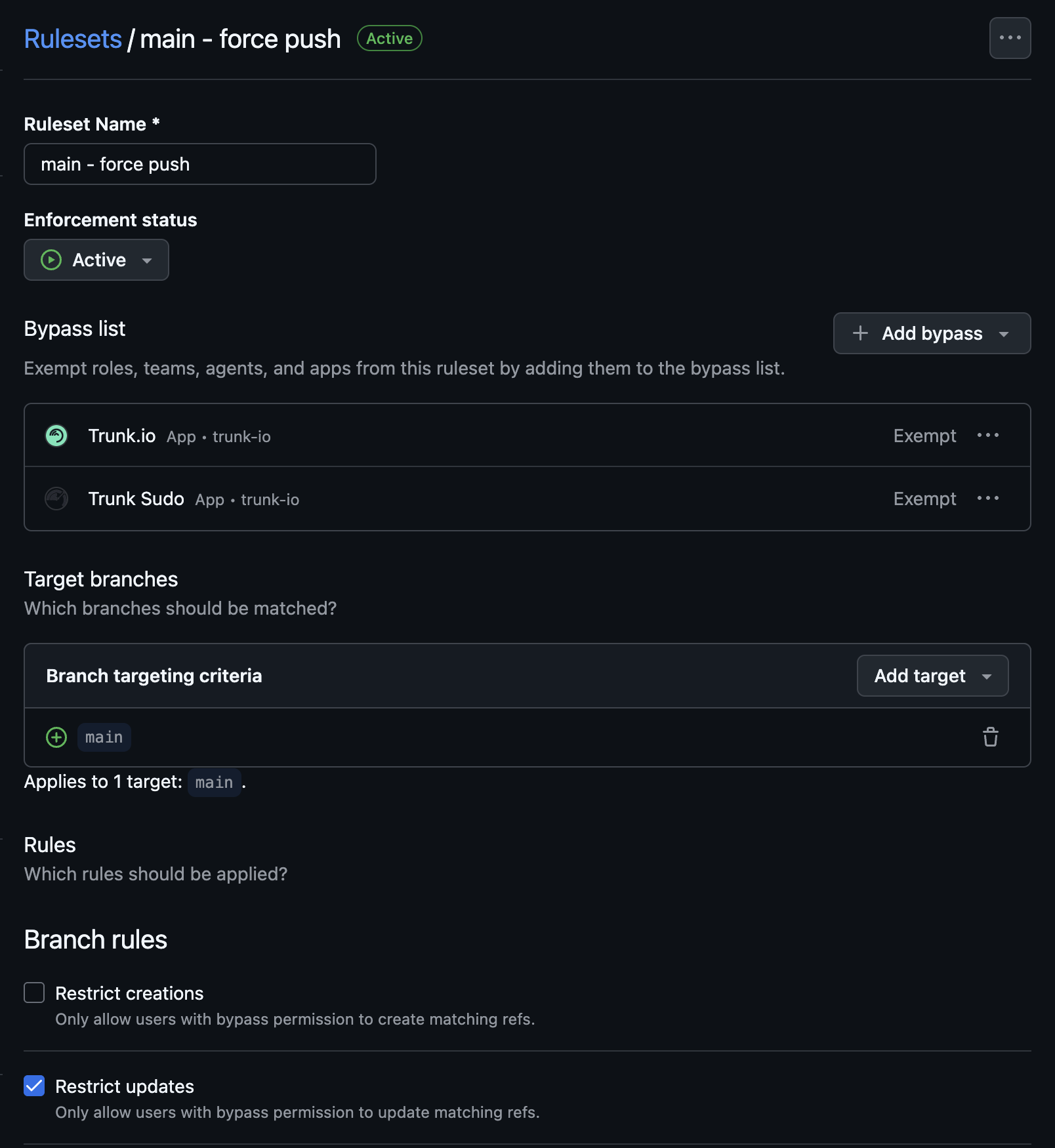
In GitHub, navigate to **Settings** → **Rules** → **Rulesets**. For every active ruleset that applies to your merge branch:
1. Open the ruleset.
2. Under **Bypass list**, add the **Trunk Sudo** GitHub App.
3. Set its bypass mode to **Exempt**.
4. Save.
 #### Verify your setup
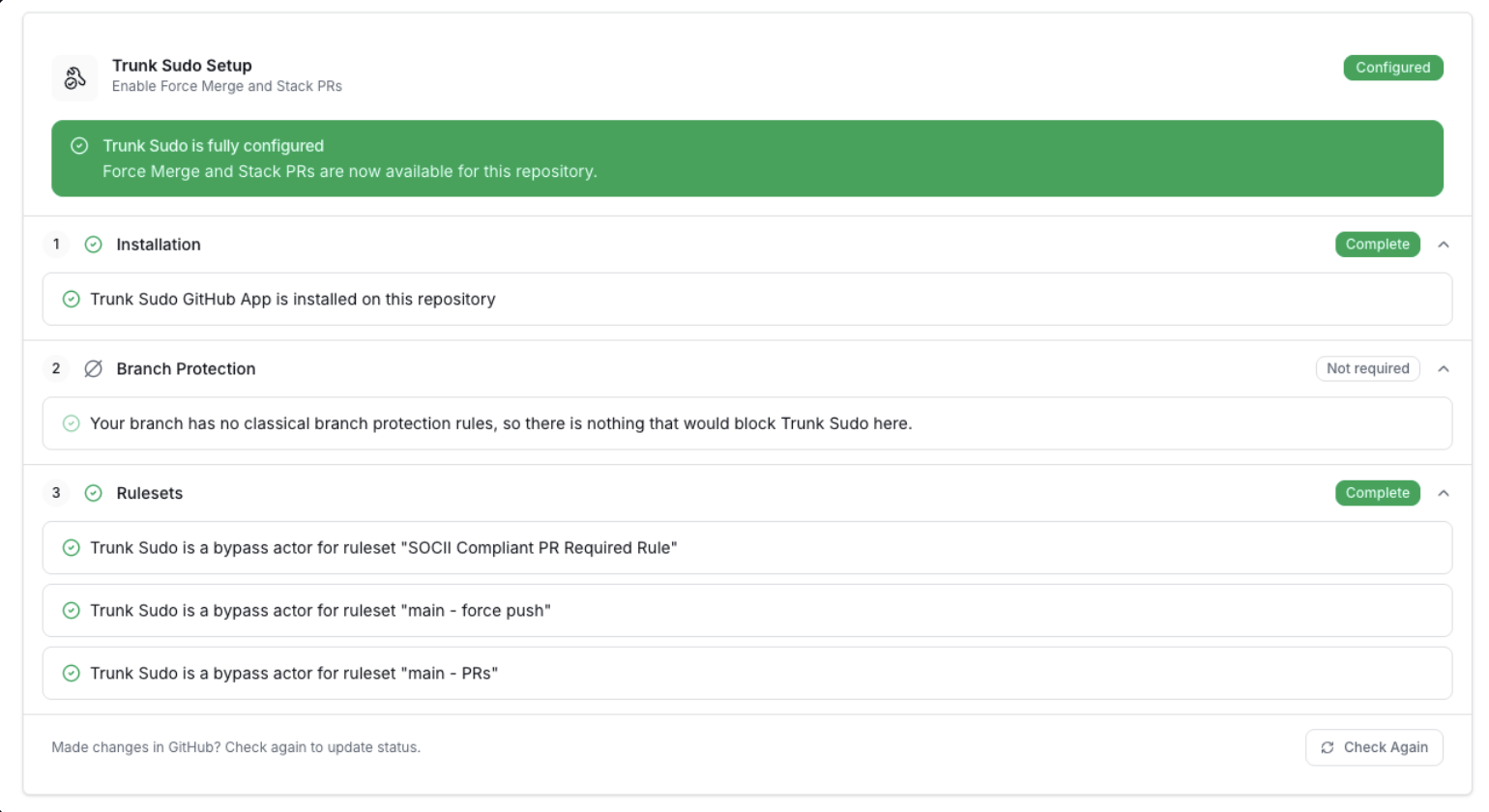
The settings page for each Trunk Merge Queue includes a live checklist that validates every piece of the Trunk Sudo configuration end-to-end. **This checklist is the source of truth for whether your setup is correct** - if the checklist is green, the app is ready to merge.
To see this checklist, go to a merge queue in the repo where you are setting up Trunk Sudo, then click the **Settings** tab.
#### Verify your setup
The settings page for each Trunk Merge Queue includes a live checklist that validates every piece of the Trunk Sudo configuration end-to-end. **This checklist is the source of truth for whether your setup is correct** - if the checklist is green, the app is ready to merge.
To see this checklist, go to a merge queue in the repo where you are setting up Trunk Sudo, then click the **Settings** tab.